top of page

Activating the Pro features in GeoViewer for free
Activating the Pro features in GeoViewer
Applicable to Product(s)
GeoViewer Pro
In October, 2020 we released GeoViewer Pro as a free upgrade to GeoViewer.
You can download the installer for GeoViewer from the GeoViewer support page. To activate the Pro features in GeoViewer:
Download the license file from here
Unzip the lservrc file and place it in the C:\Program Files\LizardTech\GeoViewer\ folder.
If you don't install GeoViewer for all users, the lservrc file goes in C:\Users\username\AppData\Roaming\GeoViewer\ instead.
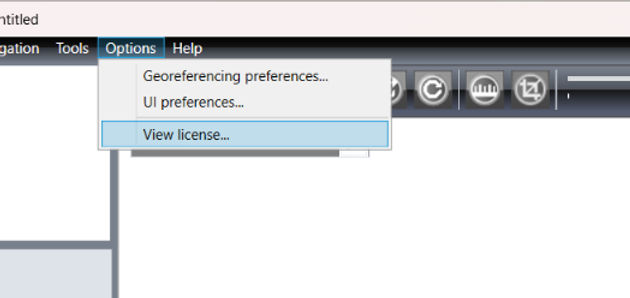
The next time you open GeoViewer, you will see View License in the Options menu instead of Purchase Pro License.
bottom of page