

Steps to Change the Serial Number in GeoExpress
Steps to Change the Serial Number in GeoExpress
Steps to Change the Serial Number in GeoExpress
1. If you change the license type (for example, from Local to Floating), you may need to update the serial number in your GeoExpress installation.
2. Contact us for your new serial no.
Please contact our support team to obtain a new serial number required for the updated license configuration.
3. Locate the lic_pref file.
Look for the lic_pref file, which is typically located in the directory C:\Program Files\LizardTech\GeoExpress\bin.
4. Copy the lic-pref file
Since the file needs to be edited and the bin folder may not allow you to modify and save changes, copy the file to your desktop or another location on your computer first.
5. Edit the lic_pref file
Please edit the file and change the serial number to the new number.

6. Replace the file in the bin folder.
Now copy the newly edited lic_pref file into the C:\Program
Files\LizardTech\GeoExpress\bin directory, replacing the existing file if prompted.
7. Open the GeoExpress
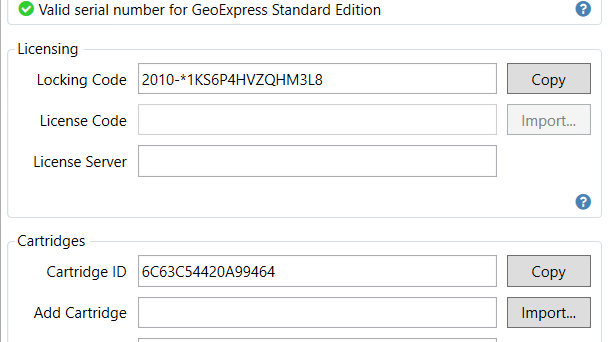
After completing the changes, open GeoExpress and navigate to Options → Licensing. The new licensing type should now be displayed for your GeoExpress installation.
For any questions or additional support, please contact us at info@geowgs84.com
GeoExpress