

Best Practices for LiDAR & Aerial Data Compression

Updated: Aug 14
The management of vast volumes of LiDAR data and very high resolution (VHR) aerial imagery is rapidly becoming a challenge for professionals in the Geospatial Community. The capabilities of sensors continue to grow, and therefore, Organizations are being confronted with the need to develop more cost-effective ways to store, manage, and distribute disparate data in an accurate manner while not negatively impacting data performance.
GeoExpress® by LizardTech is a trusted solution for compressing and optimizing LiDAR and raster imagery while preserving data integrity. In this article, we’ll explore best practices for compressing large LiDAR and aerial datasets using GeoExpress, helping you reduce storage costs, improve workflows, and streamline data delivery.

Why Compression Matters for LiDAR and Aerial Data
LiDAR and aerial datasets typically are hundreds of gigabytes and upwards to terabytes in size; this can lead to several challenges without effective compression:
Strain on storage infrastructure
Excess time required for processing and analysis
Longer data transfer times
Increased difficulty in data sharing and archiving
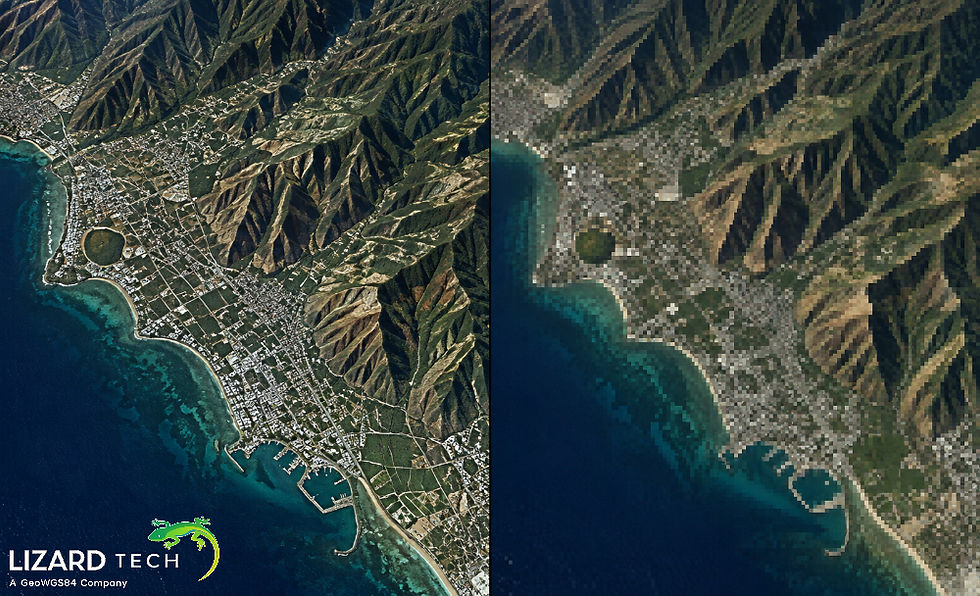
GeoExpress provides a solution to these problems by allowing for both lossless and controlled lossy compression, which can be used to drastically reduce the size of files while still keeping them usable.
Choose the Right Compression Type
Lossless Compression for Critical Accuracy
When exact data fidelity is required—such as engineering, flood modeling, or regulatory applications—lossless compression is essential. GeoExpress ensures:
No changes to point coordinates or pixel values
Full preservation of classification, metadata, and attributes
Smaller file sizes with zero data loss
Best practice: Use lossless compression for master datasets, archives, and authoritative data products.
Controlled Lossy Compression for Performance and Delivery
For visualization, web streaming, or large-scale analytics, controlled lossy compression can dramatically reduce file sizes while maintaining practical accuracy.
GeoExpress allows you to:
Define error thresholds
Balance file size reduction with precision needs
Maintain visual and analytical quality.
Best practice: Test compression levels on sample datasets to determine acceptable tolerances before full production runs.
Optimize LiDAR Compression with MrSID® Generation 4
GeoExpress supports MrSID Generation 4 (MG4) for LiDAR, designed specifically for massive point cloud datasets.
Best Practices for LiDAR Compression:
Compress LAS or LAZ files into SID format for faster access.
Preserve classifications, intensity, GPS time, and return information.
Enable multi-resolution access for efficient streaming.
Result: Smaller files, faster load times, and seamless integration with GIS and remote sensing workflows.
Use Batch Processing for Large Projects
Handling hundreds or thousands of files individually is inefficient. GeoExpress includes robust batch processing tools that allow you to:
Compress entire directories at once
Apply consistent settings across datasets.
Automate repetitive workflows
Best practice: Standardize compression profiles to ensure consistency across projects and teams.
Maintain Metadata and Spatial Reference Integrity
Metadata is just as important as the data itself. GeoExpress preserves:
Coordinate reference systems
Projection information
GeoTIFF tags and LiDAR attributes
Best practice: Always verify spatial reference settings before compression to avoid downstream alignment issues.
Balance Compression with Downstream Use Cases
Before compressing your data, consider how it will be used:
Use Case | Recommended Compression |
Engineering & Surveying | Lossless |
Archiving | Lossless |
Web Streaming | Controlled Lossy |
Visualization | Controlled Lossy |
Analytics | Depends on tolerance |
Best practice: Create multiple outputs from the same source data when different accuracy requirements exist.
Validate and Test Your Output
After compression, GeoExpress provides tools to inspect and validate results.
Best practices include:
Comparing file sizes and point counts
Verifying spatial alignment
Testing performance in target GIS or LiDAR applications
This ensures confidence before data distribution or publication.
Benefits of Using GeoExpress for LiDAR & Aerial Data Compression
By following best practices and leveraging GeoExpress, organizations can achieve:
Up to 80–90% reduction in file size
Faster data access and visualization
Lower storage and bandwidth costs
Secure, reliable long-term archiving
GeoExpress is trusted worldwide by government agencies, commercial mapping firms, and geospatial professionals for mission-critical data management.
As LiDAR means Light Detection and Ranging, and aerial data grow exponentially, compression must no longer be just an option, but a necessity. With the right methodologies in place, coupled with the advantage of being able to process all types of Geospatial data using GeoExpress by LizardTech, users have everything they need to manage this vast amount of data effectively, accurately, and efficiently.
GeoExpress will help you manage your national LiDAR archives and provide users with the ability to access high-definition images, be able to intelligently compress the data so that there are no compromises.
For more information or any questions regarding the LizardTech suite of products, please don't hesitate to contact us at:
Email: info@geowgs84.com
USA (HQ): (720) 702–4849
(A GeoWGS84 Corp Company)

Comments