

Viewing MrSID Files in QGIS, ArcGIS & Open-Source GIS

Updated: Aug 13
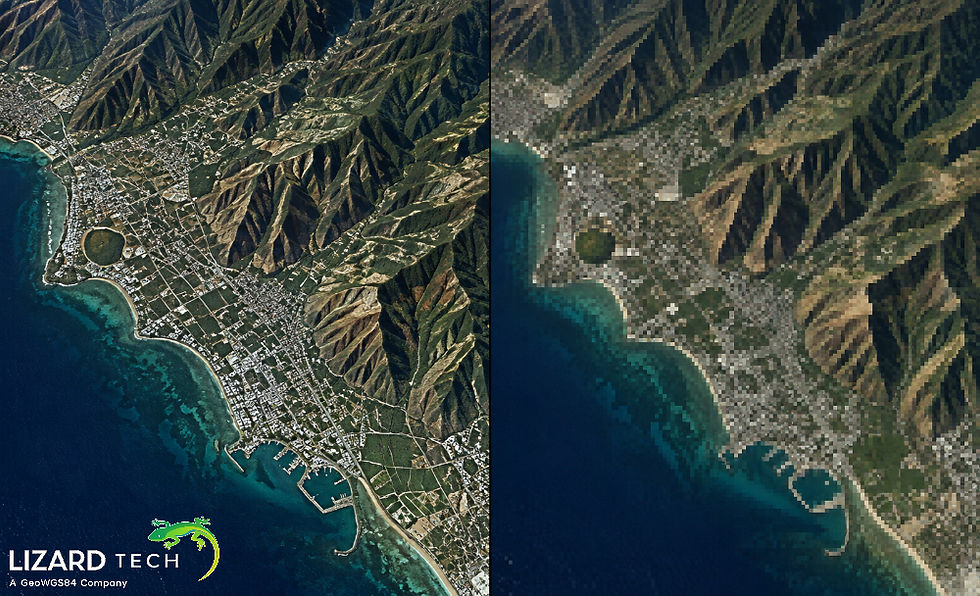
To manage large-scale imagery databases efficiently, geospatial professionals need high-performance raster formats. One of the industry’s most dependable formats is MrSID (Multi-resolution Seamless Image Database), developed by LizardTech. It offers strong compression and produces high-quality images that work well in the GIS market for aerial imagery and satellite data, as well as for large-scale geospatial archives.

What Is the MrSID File Format?
MrSID is a lossless image format that uses wavelets and is designed to optimize the compression of large amounts of geospatial data using minimal bandwidth and data storage. The key advantages of MrSID include:
High compression ratios (up to 50:1 or better) are built into the file.
Multi-resolution image pyramids embedded in the file
Efficient streaming of large data sets
Ability to georeference
Reduced disk usage and faster rendering times
Typical applications for MrSID include:
Orthophotos
Digital elevation models (DEMs) and terrain models
Large-scale mapping projects
Viewing MrSID Files in QGIS
QGIS is a powerful open-source GIS platform that supports many raster formats, including MrSID (with proper GDAL configuration).
Method 1: Open MrSID Directly (If GDAL Supports It)
Launch QGIS.
Go to Layer > Add Layer > Add Raster Layer.
Browse to your .sid file.
Click Add.
If GDAL was built with MrSID support, the file should load normally.
Verify MrSID Support in QGIS
Open the Python Console in QGIS and run:
gdalinfo --formatsLook for "MrSID" in the list.
If it does not appear, your GDAL build likely lacks the proprietary MrSID driver.
Enabling MrSID Support in QGIS
Because MrSID is proprietary, many default open-source GDAL builds do not include native support.
Options:
Install a GDAL Build with MrSID Support
Use a GIS distribution that includes licensed MrSID drivers.
Convert MrSID to GeoTIFF
If native support is unavailable, convert using GDAL:
gdal_translate input.sid output.tifGeoTIFF offers full compatibility across platforms.
Viewing MrSID Files in ArcGIS
The different versions of ArcGIS available from Esri usually accept MrSID files natively.
ArcGIS Versions That Accept MrSID:
ArcGIS Pro
ArcMap (with correct raster support).
Instructions for opening a MrSID file in ArcGIS Pro:
Open ArcGIS Pro.
Open a project.
Go to Map and select Add Data.
In the Browse dialog box, find and select the .sid file.
Click OK, and the raster image file will display in the display.
Performance Tip: In order for faster rendering, build pyramids and statistics for your raster layer by right-clicking on it and choosing Build Pyramids and Statistics.
Viewing MrSID Files in Open-Source Platforms
Several open-source GIS tools can read MrSID files if properly configured.
GDAL (Geospatial Data Abstraction Library)
GDAL is the backbone of many GIS applications.
To check support:
gdalinfo yourfile.sidIf unsupported, you’ll see a driver error.
MapServer
MapServer can serve MrSID imagery if compiled with MrSID-enabled GDAL.
In your mapfile:
LAYER NAME "mrsid_layer" TYPE RASTER DATA "yourfile.sid" STATUS ONENDGeoServer
GeoServer may support MrSID depending on the installed GDAL extension.
Steps:
Install the GDAL extension.
Add a new coverage store.
Select the .sid file.
Troubleshooting Common MrSID Issues
Problem 1: “Unsupported Format” Error
Cause: GDAL has not been compiled with the MrSID driver.
Solution:
Purchase GDAL with MrSID included and install it.
Convert to GeoTIFF format.
Problem 2: Slow Rendering
Solutions:
Create pyramids
Use better compression
Make use of overviews.
Store image files on solid-state drives (SSDs).
Problem 3: Projection Missing
If the projection is missing, the following methods should be applied:
Check for the presence of a .sdw file in the same directory as the image file.
Manually define a projection in the GIS application.
MrSID is still one of the fastest formats possible when it comes to storing and handling very large sets (terabyte level) of geographic images. With all image handling applications (QGIS, ArcGIS, GDAL, MapServer, or GeoServer), MrSID should provide the best performance with proper setup and configuration.
If your organization is using terabytes of aerial or satellite images, MrSID will provide maximum storage capability along with quick rendering and superb performance.
If your company is doing enterprise-scale image workflows, consider utilizing the tools and SDKs provided by LizardTech to fully take advantage of the MrSID format.
For more information or any questions regarding the LizardTech suite of products, please don't hesitate to contact us at:
Email: info@geowgs84.com
USA (HQ): (720) 702–4849
(A GeoWGS84 Corp Company)


Comments