

Create MrSID Images in Python: Enterprise Raster Compression

Updated: Aug 13
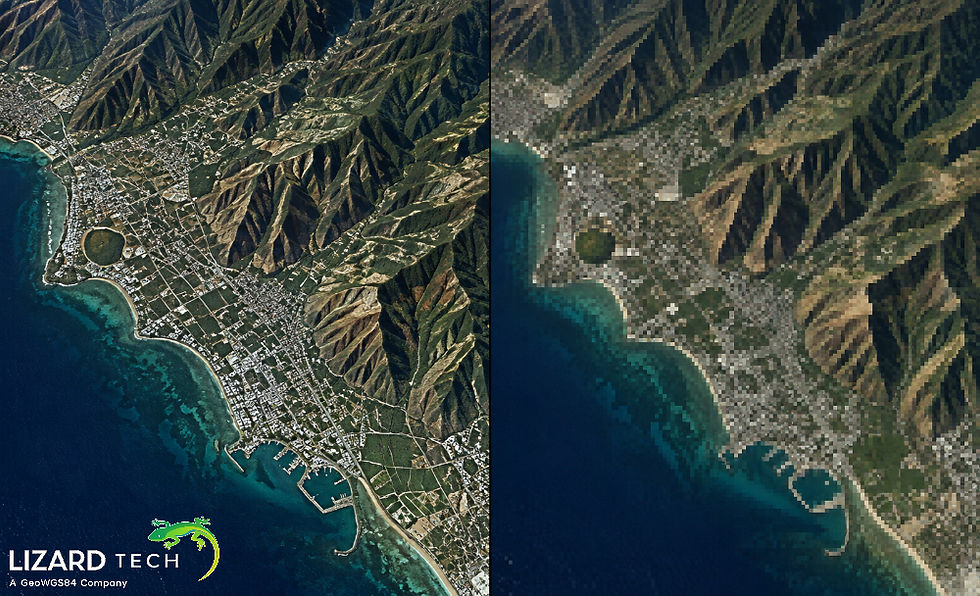
In today’s geospatial world, handling and distributing ultra-large raster datasets — whether aerial, satellite, or drone imagery — demands compression that’s fast, scalable, and high quality. That’s where the MrSID format shines. Developed by LizardTech, MrSID (Multi-Resolution Seamless Image Database) delivers industry-leading raster compression with minimal quality loss and blazing performance.
Now developers and GIS professionals have the option to use the GeoExpress Python package for integrating enterprise-level MrSID creation with their existing automated Python workflows, including batch processing, pipelines, and programmatically controlling compression—without the need to leave the Python environment.

What Is MrSID and Why Does It Matters
The MrSID format is a proprietary compression format for high-performance multi-resolution geospatial images. It is based on advanced wavelet-based compression techniques rather than storing raw pixel data. This results in the following benefits:
High compression ratios (typically 10:1 or better compared to uncompressed GeoTIFFs)
Support for lossy and lossless compression
Random access to rapid image tile retrieval
Multi-resolution rendering to support GIS applications or map services.
Efficient storage, delivery, and visualization of imagery up to terabyte size.
As a result of these benefits, MrSID is a popular choice for GIS servers, web mapping, and remote sensing analysis, where both performance and optimization of storage space are critical.
Introducing the GeoExpress Python Package
The GeoExpress Python package wraps the powerful GeoExpress engine into a simple, Pythonic API — enabling developers to perform MrSID compression, metadata manipulation, decompression, and more.
Core Capabilities
With this package, you can:
Compress Raster Formats to MrSID (MG2/MG3/MG4);
Convert to JPEG2000 (JP2/GMLJP2 or otherwise) & NITF;
Decompress MrSID files into GeoTIFF or JP2;
Manage metadata/security (e.g., password protecting/unlocking, etc.);
Run batch processing jobs using either direct interaction through the GeoExpress command interface or via fully automated systems using the GeoExpress Python API as part of your integrated solution.
Retrieve compression properties/image properties programmatically;
All of these features & capabilities were designed specifically with automation in mind and will fit well into any automated workflow ranging from ETL Pipelines to GIS Server Deployments to Remote Sensing Analyses.
Installing GeoExpress in Python
Before using the package, ensure you have a licensed GeoExpress Desktop or Server installation with the binaries accessible in your system PATH. Then install the Python package:
pip install geoexpressThe package supports Python 3.9–3.12 and integrates with existing GeoExpress installations.
Example Use Cases
Compress a GeoTIFF to MrSID
from geoexpress import encode_safeencode_safe( "data/input.tif", "data/output.sid", format="MG4", options={"cr": 20})This call compresses a GeoTIFF into a MrSID Generation 4 file with a 20:1 compression ratio — ideal for web delivery, basemaps, or storage-optimized archives.
Decode MrSID to GeoTIFF
from geoexpress import decode_safedecode_safe( input="data/input.sid", output="data/output.tif")Decoding is just as easy — enabling full round-trip workflows between compressed and standard formats.
Inspect MrSID Metadata in Python
from geoexpress import info_parsedinfo = info_parsed("data/image.sid")print(info["parsed"])This snippet retrieves parsed metadata such as compression ratio, pixel size, and band information — empowering programmatic quality checks.
Best Practices for MrSID Workflows
To deliver reliable results and high performance:
Choose the right compression ratio: High ratios reduce size but may affect imagery fidelity — match your settings to your use case.
Preserve geospatial metadata: Always preserve coordinate reference systems and tags during compression for GIS usability.
Use batch automation: For large datasets, use the batch API to parallelize jobs and streamline processing.
Why Enterprise-Grade Compression Matters
In remote sensing, cartography, and GIS analytics, datasets can be enormous. MrSID’s multi-resolution structure and wavelet compression let users visualize and analyze imagery at multiple zoom levels without decompressing entire datasets. This dramatically reduces load times, accelerates GIS application performance, and lowers storage costs.
In Python, geoexpress makes this power accessible without complex scripting or manual tools — software teams can now embed MrSID compression directly within data pipelines, cloud workflows, and automation frameworks.
Leveraging MrSID images with Python opens up a new frontier for scalable, automated geospatial imaging workflows. The GeoExpress Python package simplifies enterprise-grade raster compression and expands your toolkit for GIS, remote sensing, and data engineering.
By combining MrSID’s performance advantages with Python’s flexibility, developers can build smarter, faster, and more efficient image processing pipelines — all anchored by LizardTech’s trusted compression
For more information or any questions regarding the LizardTech suite of products, please don't hesitate to contact us at:
Email: info@geowgs84.com
USA (HQ): (720) 702–4849
(A GeoWGS84 Corp Company)


Comments